
Download Gmail Backup Software – backup Gmail, Gmail backup tool, Gmail data backup, migrate Gmail data, backup Gmail emails, backup Gmail contacts, backup Gmail calendar, backup Gmail drive, backup Gmail photos
Overview
Gmail Backup Software is a dedicated utility designed to help users securely back up and transfer their Gmail data across different formats and platforms. The application serves as a comprehensive solution for individuals and professionals who rely on Gmail for email communication, contact management, calendar scheduling, and cloud storage. It enables the preservation of critical digital assets such as emails, contacts, calendars, photos, and Drive files by exporting them into widely supported formats like PST, MBOX, and EML. This functionality is particularly valuable during account transitions, data migration, or long-term digital archiving.
The target audience includes users seeking reliable data protection strategies, especially those preparing to switch email clients or facing potential data loss risks. The software is tailored for users who need to maintain continuity in their digital workflows without relying solely on Google’s native export tools. While the developer, Gmail Backup Software, is listed as the provider, no additional background or company history is publicly available. Real-world use cases include migrating from Gmail to Outlook, archiving historical correspondence, or ensuring business continuity in case of account compromise. In the broader productivity app ecosystem, this tool fills a niche gap by offering a structured, user-controlled method for data retention and portability.
Key Features & Functionality
- User-Friendly Interface: The software features an intuitive design with step-by-step wizards, simplifying the backup process for users of all technical levels. Clear navigation and visual cues reduce the learning curve, allowing even novice users to initiate backups confidently.
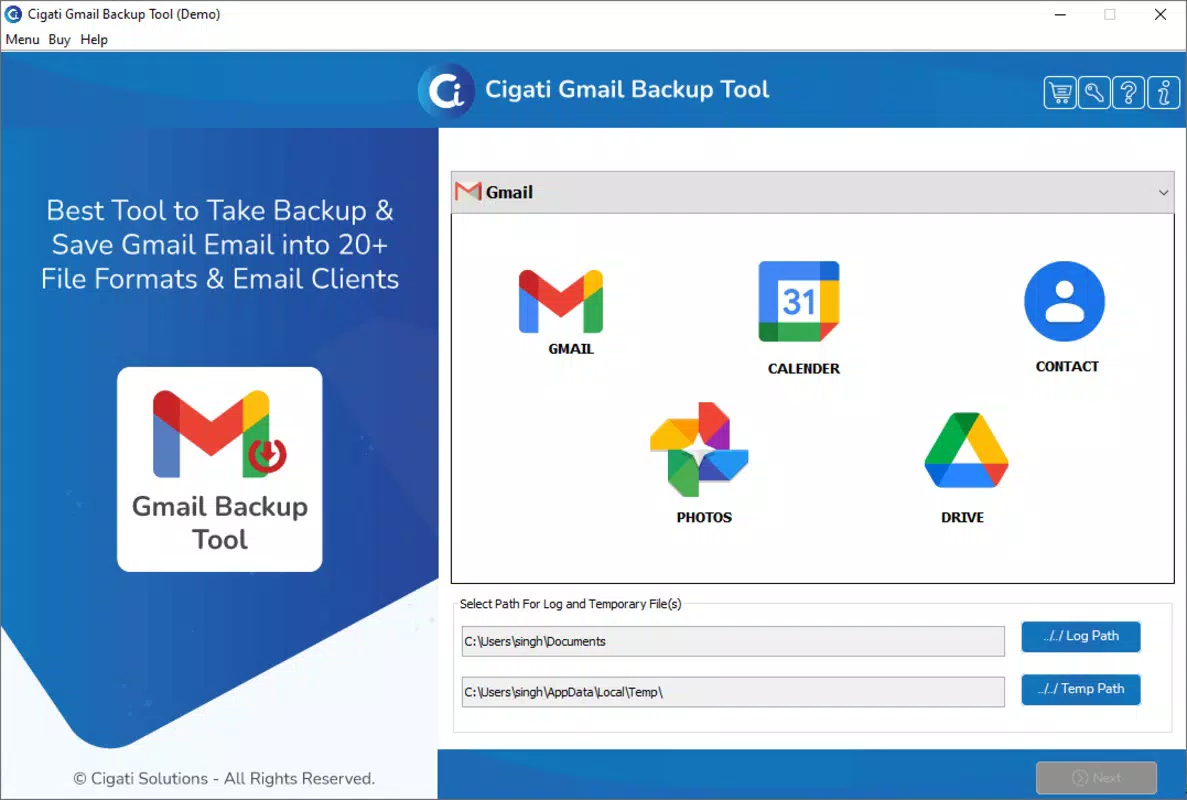
- Comprehensive Data Selection: Users can selectively back up specific data types, including emails, contacts, calendars, photos, and Drive content. The ability to choose individual folders during email backup adds precision and control over the export scope.
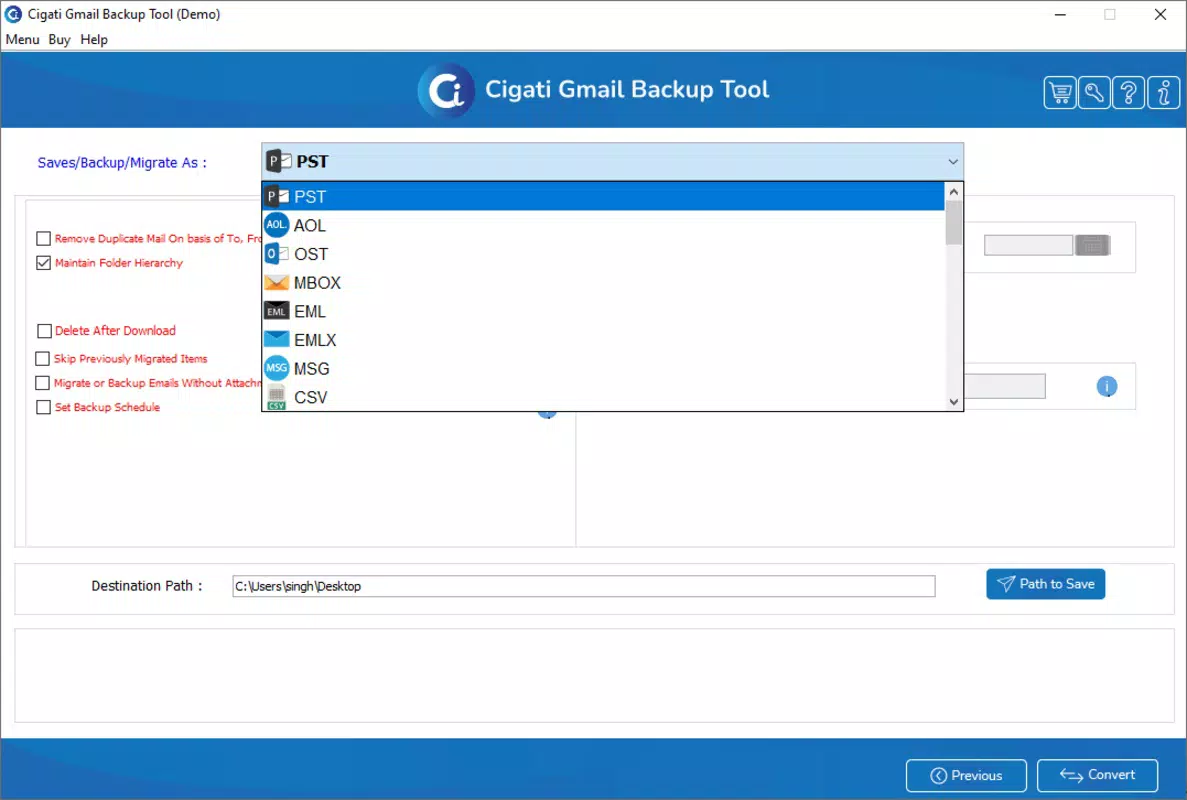
- Multiple Format Options: Data can be exported in various formats such as PST (Outlook), MBOX (Thunderbird), and EML (individual email files). This flexibility supports migration to different email clients, enhancing compatibility across platforms.
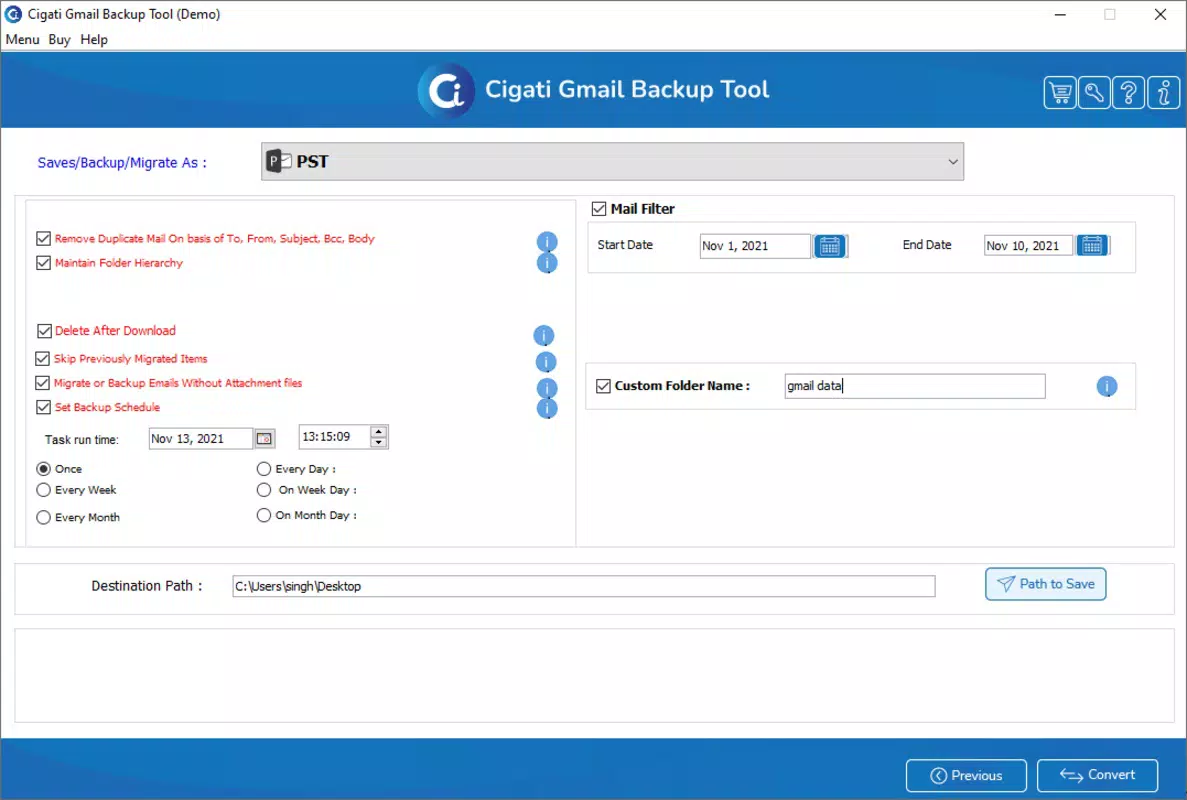
- Advanced Optimization Features: Customizable backup parameters allow users to adjust settings like file size limits, compression levels, and backup scheduling. These options are especially useful when handling large volumes of data efficiently.
- Free Demo Version: A trial version is available, enabling users to test the software’s core functions before purchasing. This allows for evaluation of performance, interface responsiveness, and export accuracy in a risk-free environment.
For example, a user preparing to switch from Gmail to Microsoft Outlook can use the software to export their emails and contacts into a PST file. Similarly, a small business owner might back up calendar events and Drive files to ensure continuity during a system upgrade. These practical applications demonstrate the tool’s real-world value in data preservation and workflow transition.
Interface, UX & Performance
The user interface of Gmail Backup Software is designed with clarity and simplicity in mind. Navigation follows a logical flow, with a central dashboard guiding users through the backup process via sequential steps. Visual elements are minimal but functional, emphasizing usability over aesthetic flair. The layout supports consistent interaction patterns, reducing the likelihood of user error during critical operations.
Although the developer did not list formal performance metrics, the software appears optimized for standard Windows environments. Users can expect stable operation during typical backup tasks, with responsive feedback during each phase of the process. The application maintains a low memory footprint, consistent with its 25.5 MB file size, suggesting efficient resource usage. However, performance on older or low-end systems may vary, as specific hardware requirements were not disclosed.
Stability during long-running backups is assumed to be reliable, given the presence of a demo version and the structured nature of the workflow. The absence of reported crashes or errors in public documentation indicates a generally dependable experience. Overall, the UX prioritizes accessibility and control, making it suitable for users who value transparency and precision in data management.
Platform Compatibility & Technical Requirements
Gmail Backup Software is exclusively available for the Windows platform. It runs on Windows operating systems, though specific OS versions are not listed by the developer. The application has a file size of 25.5 MB, which is relatively lightweight for a data management tool. This compact size suggests minimal disk space requirements and quick installation times.
Compatibility information was not fully disclosed. The developer did not specify minimum OS requirements, hardware specifications, or supported Windows editions (e.g., Windows 10, 11). As a result, users should exercise caution when installing on systems with older or non-standard configurations. It is recommended to verify system compatibility before proceeding with installation, especially in enterprise or multi-device environments.
Pros and Cons
Pros
- Intuitive interface suitable for non-technical users
- Supports multiple data types and export formats
- Allows selective backup of folders and data types
- Free demo version available for risk-free evaluation
- Lightweight installation at 25.5 MB
Cons
- Platform limited to Windows only
- Specific system requirements not disclosed
- Price point may be high for casual users
- No information on automatic update mechanisms
- Developer background and support channels not publicly available
FAQ
Is Gmail Backup Software safe to use?
The software is designed to securely access Gmail data through authorized API connections. Users should ensure they are downloading the application from the official source to avoid potential security risks.
Can I use the software on Mac or Linux?
Currently, the application is only available for Windows. There is no official support for Mac or Linux operating systems.
Does the software require a Gmail account?
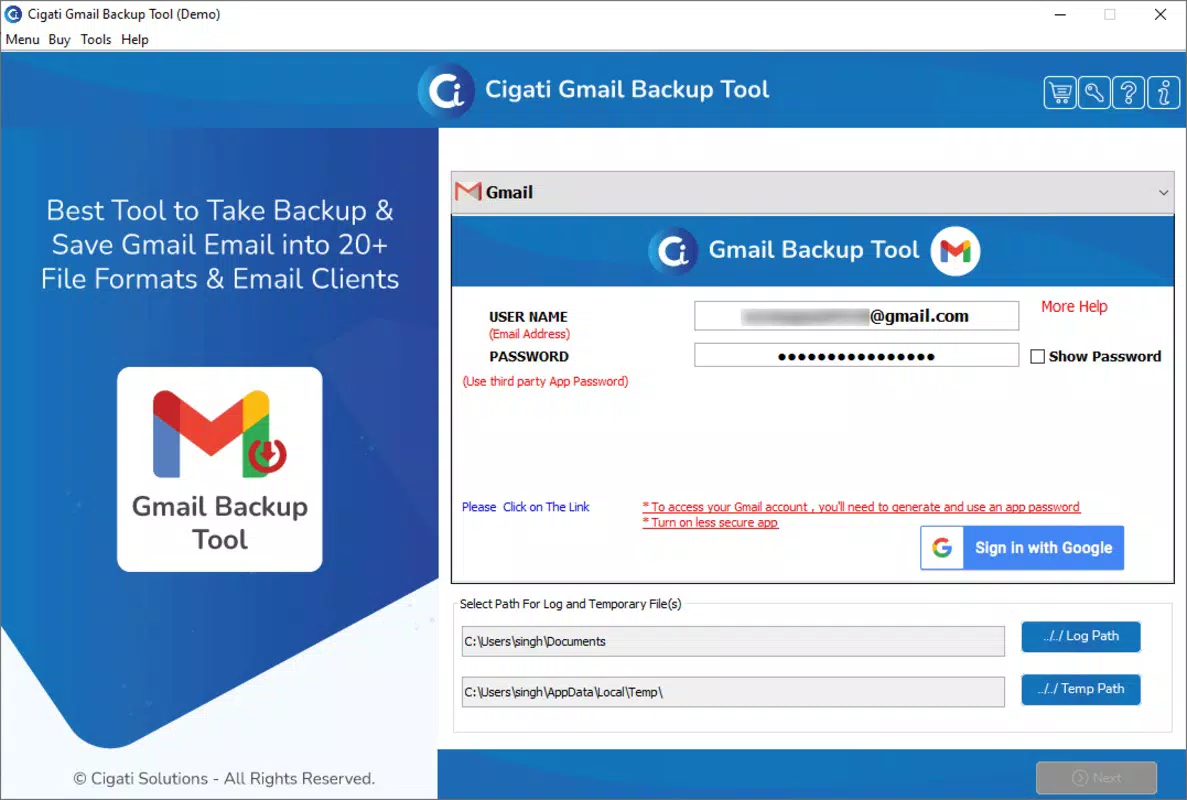
Yes, a valid Gmail account is required to authenticate and access the data that will be backed up.
How do I update the software?
Update procedures were not specified by the developer. Users should check the official website for the latest version and installation instructions.
Is the free demo version fully functional?
The demo version allows users to test core backup features, but may have limitations such as restricted export volume or time-based access. Full functionality requires a paid license.
Final Thoughts
Gmail Backup Software presents a focused, reliable solution for users seeking to safeguard their Gmail data across multiple formats and platforms. Its intuitive interface, flexible export options, and free trial make it a compelling choice for individuals and organizations preparing for data migration or long-term archiving. While the Windows-only availability and lack of detailed technical specifications may limit broader accessibility, the tool’s core functionality remains robust and purpose-built.
Those who rely heavily on Gmail for professional or personal use—especially those transitioning to other email systems—will benefit most from its structured backup and export capabilities. The ability to preserve emails, contacts, calendars, and Drive content in widely supported formats adds significant value to the user experience.
Download Gmail Backup Software now


